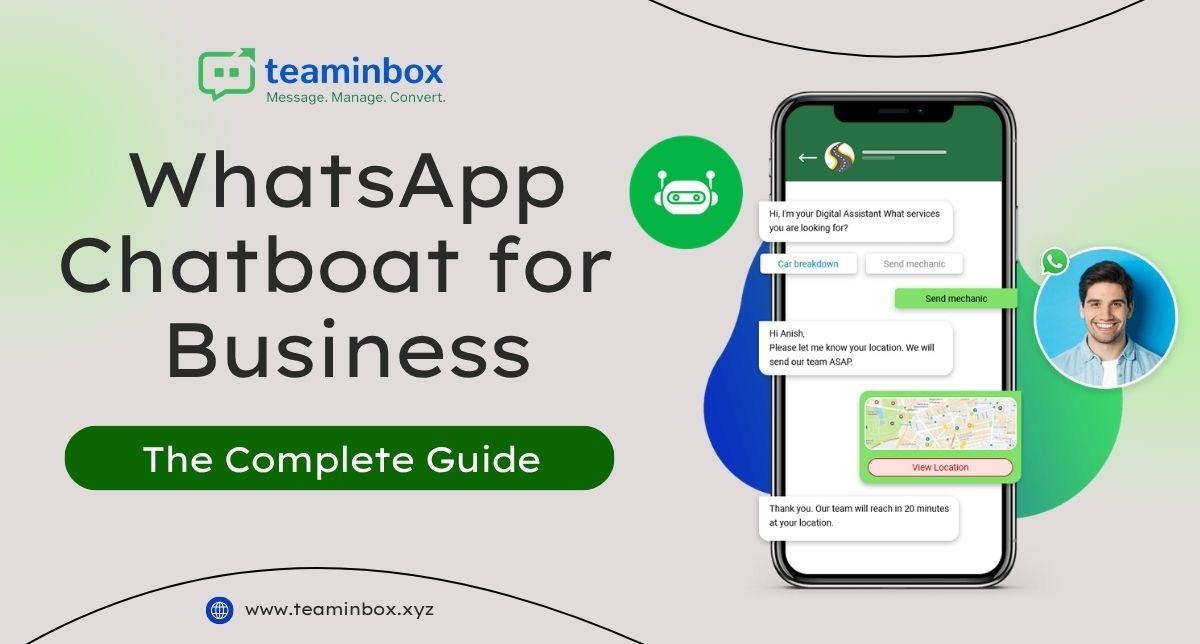

Picture this. A customer messages a business on WhatsApp at 11 pm asking about their order. Nobody’s awake. The lead just goes cold, and the business never even finds out it happened. That’s the exact gap a WhatsApp chatbot is meant to close, answering right away, grabbing the lead, and only handing it off to an actual person once it genuinely needs one.
TeamInbox builds these systems on the official WhatsApp Business API; we’re a development company, not a chatbot ourselves. So this guide gets into what actually goes into a working setup, where most businesses trip up on the technical side, and what a properly built solution looks like next to something bolted together in an afternoon.
What Is a WhatsApp Chatbot, Really?
A WhatsApp chatbot is just automated logic replying to incoming messages – rules, decision trees, or sometimes an AI model – instead of a person typing every response by hand. It has to run through the WhatsApp Business API too, Meta’s official channel for business messaging at scale, not some personal WhatsApp account someone’s using for work.
WhatsApp Business API vs WhatsApp Business App
The free WhatsApp Business app does fine for a shop owner replying from one phone. Falls apart fast the second more than one person needs access, or the business wants any real automation. The API, on the other hand, supports multiple agents, automated flows, and CRM integration. It works, but getting it means going through an approved developer or provider, not just downloading something from the app store.
Green Tick Verification and What It Actually Requires
That green checkmark next to a business name on WhatsApp signals that Meta has confirmed the business is legit. Not automatic, though. Usually needs an established brand, an account in good standing, and API access already set up through an approved channel. Not something you can just request on day one of signing up.
How a Properly Developed WhatsApp Chatbot Actually Works
A basic chatbot matches a keyword and fires off a pre-written reply; that’s it. A properly developed one goes further. It captures the conversation as a structured lead, tags it, routes it into a pipeline, and only kicks things over to a human agent once the flow genuinely can’t handle the question anymore.
Message Templates, HSM, and the 24-Hour Window
Here’s a rule that trips people up constantly. Meta only allows free-form messaging within 24 hours of a customer’s last message. Outside that window, only pre-approved templates work, called HSM Highly Structured Messages, and Meta reviews every single one before it goes live. Anyone building chatbot flows has to design around this from the start, not patch it in after the launch already broke.
What a Development Company Actually Builds Beyond the Chatbot
The chatbot’s really just one piece. TeamInbox builds the whole system around it, the stuff most businesses don’t realise they need until they’re already buried in scattered chats.
- Shared inbox: every conversation lands in one workspace instead of a single phone, so nothing sits unanswered just because one person happened to be offline
- Number coexistence: keep using an existing WhatsApp number right alongside the API setup, no losing chat history during migration
- Broadcast sequences: scheduled, multi-step campaigns that fire automatically instead of someone manually sending each message one by one
- Bulk WhatsApp broadcast: reach an entire opted-in list at once for announcements or offers; staying inside Meta’s messaging limits the whole time
- Website chat widget: pulling website visitors directly into a WhatsApp conversation instead of a generic contact form nobody checks
WhatsApp Business API Chatbot: Who Actually Builds the Infrastructure
Meta doesn’t hand out API access directly to most businesses. It goes through a WhatsApp Business Solution Provider (BSP), and from there, a development company builds the actual working product on top of that raw access.
Read Also: WhatsApp Account Blocked? Here’s What You Can Actually Do
BSPs vs Development Companies: Where the Line Actually Sits
Providers like Twilio, Gupshup, MessageBird, and Interakt supply the underlying API connection and message delivery infrastructure. That’s the pipe. TeamInbox works on that same official foundation but builds the chatbot logic, lead pipelines, and shared inbox that turn raw API access into something a sales or support team can actually use day-to-day. Raw API access alone isn’t a product. It’s a permission slip.
Meta Business Suite and WhatsApp Cloud API
Meta Business Suite handles the broader account layer, ad accounts, page settings, and business verification. The WhatsApp Cloud API is Meta’s own hosted version of the Business API, and it’s what a lot of modern chatbot development is actually built on top of, rather than older on-premises API setups that require more server management.
WhatsApp AI Chatbot: Where Conversational AI Actually Helps
A WhatsApp AI chatbot uses conversational AI and NLP (natural language processing) to catch what a customer means, not just the exact words they typed. This matters for a support inbox handling messages phrased a dozen different ways for the same underlying question.
Dialogflow, Rasa, and OpenAI GPT: Picking the Right Layer
Dialogflow suits structured intent recognition for common, repeatable questions. Rasa gives more control for businesses wanting to host and train their own model. OpenAI’s GPT models handle open-ended conversation well but need tighter guardrails in a business context to avoid answering things a chatbot shouldn’t touch, like pricing exceptions or account-specific decisions.
Comparing a Real Development Build Against Basic WhatsApp Use
| Capability | Basic WhatsApp Usage | Solution Built by a Development Company Like TeamInbox |
| AI auto-replies. | Manual replies only | 24×7 automated responses with escalation logic |
| Lead capture | Not trackable | Every chat auto-converted into a structured lead |
| Ad platform sync | Separate tools, manual export | Direct sync from Meta Ads, Google Ads, LinkedIn forms |
| Number continuity | Risk of losing history on migration | Number coexistence preserves existing chat history |
| Broadcast messaging | Not possible at scale | Bulk broadcasts and scheduled sequences |
| Inbox structure | Scattered across one phone | Shared inbox, multi-agent, with assignment |
| Follow-up tracking | No reminders | Structured pipelines with owner and status |
WhatsApp Chatbot for E-commerce: Built Around the Actual Store
E-commerce chatbot use cases live or die on real-time order data, not scripted responses. A customer asking “Where’s my order?” needs an actual answer pulled from the store, not a canned line pointing them to check their email.
Shopify/WooCommerce Integration Built for This Exact Question
Hook the chatbot straight into Shopify or WooCommerce order data, and suddenly it can actually answer shipping status, order details, and all of it in real time. No more pointing someone toward their inbox and hoping. Cart-abandonment messages work the same way, firing off based on what actually happened in the store rather than some generic reminder blasted out on a fixed timer, whether the customer did anything or not.
CRM Integration: Why a Disconnected Chatbot Creates More Work
Skip the CRM connection, and you’ve basically built a second, siloed pile of customer conversations. Someone in sales ends up copying it all over by hand eventually anyway, which kind of defeats the point.
CRM Tools: HubSpot, Salesforce, Zoho
Real integration means the WhatsApp conversation updates a HubSpot, Salesforce, or Zoho record by itself. No copy-paste, none of that. Matters especially for sales teams, since context – what’s been discussed, what stage a deal’s at – has to travel with the lead. Can’t just sit stuck in a chat thread nobody else can even see.
Webhook Integration: The Piece Most Off-the-Shelf Tools Skip
Webhook integration triggers something real the second an event happens: a ticket opens, a deal stage moves, and a rep gets pinged – no developer needed to hand-build a connector for every single case. Honestly, this is usually the whole difference between a chatbot that just replies and one that actually plugs into how a business runs.
Lead Management: Where WhatsApp Chatbots Usually Fall Short
Basic tools stop at “reply sent”, pretty much every time. TeamInbox doesn’t. Every incoming message becomes a potential lead from the first second: custom pipelines, ownership assigned, and full visibility from that first contact all the way to close. Doesn’t matter if it came from a WhatsApp message, a Meta Ad click, a Google Ads form, or someone just uploading a CSV.
WhatsApp Marketing: Broadcasts, Sequences, and Click-to-WhatsApp Ads
Broadcast messages hit a whole opted-in list in one go, useful when an announcement or promo needs to go out fast. Drip campaigns work differently: a scheduled sequence stretched over days or weeks, so nobody’s manually following up each time. Click-to-WhatsApp ads on Meta skip the landing page entirely, dropping someone straight into a chat instead, which tends to save the one step that usually loses conversions anyway.
WhatsApp API Pricing: What It Actually Includes
WhatsApp API pricing has two layers most businesses don’t separate out. Meta charges per conversation based on category and country. On top of that, a development company or BSP charges separately for the platform, infrastructure, and support built around the raw API. A quote that only covers one of these layers isn’t the full picture, so it’s worth asking directly which costs are Meta’s and which are the provider’s.
Compliance: Why “Unofficial” WhatsApp Tools Are a Real Risk
Bulk-messaging tools that scrape numbers or send outside official channels regularly get accounts banned, sometimes permanently, with no appeal process that actually works. TeamInbox builds exclusively on Meta-approved infrastructure specifically to avoid this, since a banned WhatsApp number means losing every existing customer conversation history along with it.
For Meta’s own documentation on messaging policies, template rules, and the customer service window, the WhatsApp Business Platform documentation lays out exactly what’s allowed. For the technical side of how the API itself functions, the WhatsApp Cloud API documentation from Meta for Developers is worth reading before evaluating any development partner’s claims.
TeamInbox: A Development Company Building on the Official API
TeamInbox has onboarded over 100 businesses on WhatsApp Business API solutions built specifically for sales, support, and lead management, not some generic chatbot template stretched to cover every industry.
The build covers a shared inbox, number coexistence for existing WhatsApp numbers, broadcast sequences, bulk messaging, a website chat widget, and CRM-connected lead pipelines, all developed around Meta’s official infrastructure instead of shortcuts that risk getting a number banned.
Sales teams get lead qualification and pipeline structure built into the chatbot flow itself. Support teams get a shared inbox that replaces juggling a personal phone number across multiple staff. Marketing teams get broadcast and sequence tools that stay inside WhatsApp’s actual policies instead of triggering a suspension six months in.
Frequently Asked Questions
What is the WhatsApp Business API, and how is it different from the Business App?
The Business API is built for teams and automation, requiring an approved provider or development company to set up, while the Business App is a free single-device app meant for one person managing chats manually.
What does a development company actually build that a BSP doesn’t?
A BSP provides the raw API connection and message delivery pipe. A development company builds the chatbot logic, lead pipelines, shared inbox, and integrations on top, turning that raw access into something a team can actually use.
How does customer support automation work on WhatsApp?
Automated flows resolve common questions instantly and escalate to a shared inbox only when a query needs human judgement, rather than routing every single message to a live agent by default.
Can a WhatsApp chatbot integrate with a CRM?
Yes, a properly built integration syncs conversations directly into tools like HubSpot, Salesforce, or Zoho, so lead context travels with the record instead of staying trapped in a chat thread.
What is a lead generation chatbot on WhatsApp?
It’s a chatbot flow that captures and qualifies every incoming conversation as a structured lead, with ownership and pipeline stage tracked from first message to close.
What is WhatsApp API pricing actually made up of?
Two separate layers: Meta’s own per-conversation charges and a separate fee from whichever development company or BSP built the platform running on top of that raw API access.
What is omnichannel messaging in this context?
Pulling conversations from WhatsApp, website chat, and ad platform leads into one connected system, so a customer’s history stays intact no matter which channel they started on.
What is a no-code chatbot flow builder?
A visual tool letting non-technical staff build and edit chatbot conversation paths through a drag-and-drop interface, without needing a developer for routine flow changes.
What is a WhatsApp Business Solution Provider (BSP)?
A Meta-approved company that provides the technical connection to the WhatsApp Business API, which individual businesses can’t access directly on their own.
How do click-to-WhatsApp ads work?
Ads run through Meta’s ad platforms that open a WhatsApp conversation the moment someone clicks, instead of sending them to a landing page first.
Ready to have a compliant WhatsApp chatbot and lead system built around how your team actually works? Reach out to TeamInbox to get a solution developed on the official WhatsApp Business API.