
Two agents reply to the same message within minutes of each other. Neither one knows the other already answered.
The customer gets two different replies. The team spends ten minutes untangling what happened.
Shared inbox software exists to stop exactly this. One connected view of every conversation, instead of scattered access nobody’s tracking.
This guide covers how it works, how it compares to help desk software, and how TeamInbox builds its own version around WhatsApp first.
What Is Shared Inbox Software?
It’s software that lets more than one person work from the same inbox at once. Could be an email address, a WhatsApp number, or a website chat widget.
Nobody owns the conversations alone. The whole team sees them and can assign, tag, and track each one.
How Does a Shared Inbox Work?
A message arrives. Every authorised team member can see it right away.
Someone claims it, or gets assigned it. Tags get added for context. The conversation moves toward resolution, and the whole team can see that trail, not just one person’s phone.
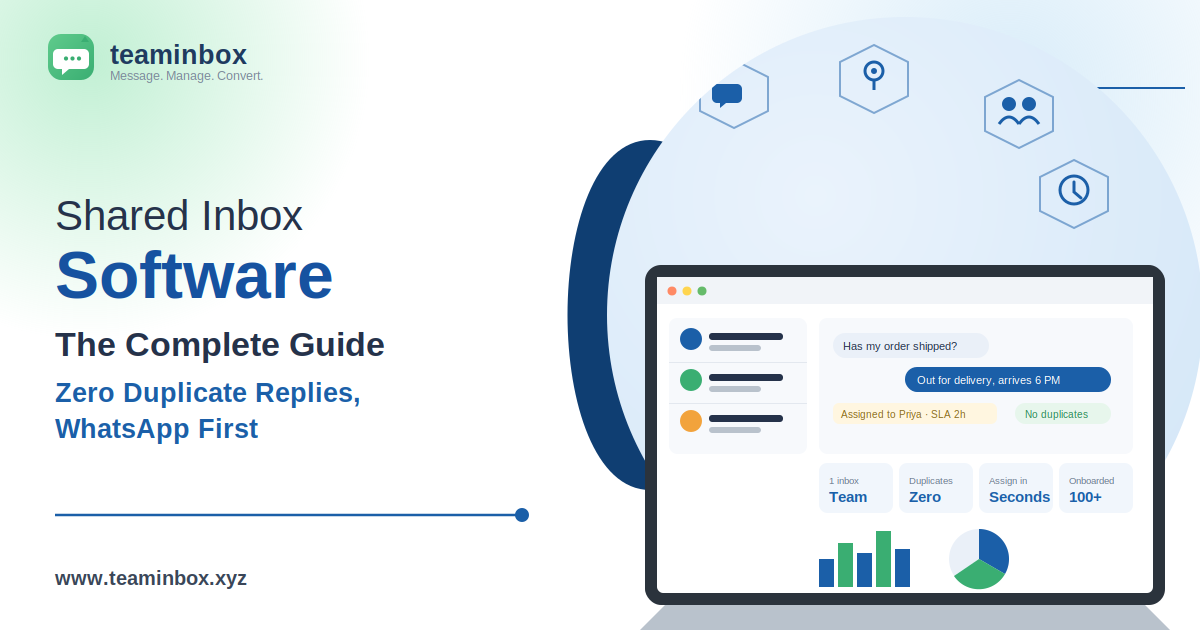
On TeamInbox specifically, assigning a conversation takes seconds, not minutes, and duplicate replies drop to zero once collision detection is switched on.
Shared Inbox Tool vs Help Desk Software
A shared inbox tool handles visibility and assignment well on its own. That’s its whole job.
Help desk software goes further. Formal ticketing, SLA rules, a knowledge base, heavier workflow logic, all layered on top.
Most small and mid-size teams never actually need that extra layer. A solid shared inbox absorbs a lot of support volume before a full ticketing helpdesk starts earning its cost.
Why Do Teams Need Shared Inbox Software?
Skip it, and things scatter. Personal devices, separate email accounts, disconnected WhatsApp numbers nobody’s tracking together.
That’s exactly where customer trust breaks down.
- Duplicate replies stop once more than one person can see a message
- History stays with the team, not stuck on one phone or account
- Every conversation gets a clear owner instead of a guess
- Response times and workload become visible, not a mystery
- Nothing goes unanswered just because one person stepped away
Team WhatsApp Inbox Software: A Different Kind of Problem
WhatsApp was built for one person, one device. Full stop.
That’s the real challenge behind team WhatsApp inbox software. It’s not the same problem as adding a second person to a Gmail account.
Shared WhatsApp Inbox Software and Collaborative Inbox Software
Shared WhatsApp inbox software connects a business number to the official WhatsApp Business API. Agents log in separately, each with their own account.
Everyone works the same thread. Nobody’s crowding around one physical phone.
Collaborative inbox software built this way brings the same benefits email teams already have, assignment, tagging, visibility, into a channel that was never built for teams at all. TeamInbox describes this as a joint inbox that never turns into two people answering the same customer twice.
How Is a Shared Inbox Different From a Group WhatsApp Address?
A group chat or a passed-around phone has no individual logins. No formal assignment. No record of who did what.
A real shared inbox has all three. That’s exactly why the informal setup keeps causing the same problems over and over.
WhatsApp Collision Detection: The Problem Named Properly
What Is a WhatsApp Collision, and How Does a Shared Inbox Prevent It?
Two people reply to the same conversation at once. Neither one knows the other’s already typing.
The customer gets two different answers, seconds apart. WhatsApp collision detection catches this before it happens, showing real-time presence, so the team can see when a colleague is already viewing or typing a reply.
Multi-User WhatsApp Inbox and Team WhatsApp Management
A multi-user WhatsApp inbox means several agents, one number, everyone logged in under their own name. Not one shared password everyone uses.
Team WhatsApp management goes a step further. Some call it collaborative WhatsApp management instead; same idea either way.
It means workload actually gets distributed fairly. It means quality stays consistent no matter who’s replying that day.
WhatsApp Delegation and WhatsApp Thread Assignment
WhatsApp delegation lets a manager hand a specific conversation to a specific agent directly. No guessing who’s free.
WhatsApp thread assignment locks that ownership in. Even if the conversation moves between departments, the owner stays attached to it.
WhatsApp Tagging and Labelling
WhatsApp tagging and labelling, sometimes described as tagging and triage, sorts messages by topic, priority, or stage. A billing question and an urgent complaint stop looking identical just because both arrived as WhatsApp texts.
Features Shared Inbox Software Should Have
| Feature | Purpose |
| Conversation assignment | Designates clear ownership for each message thread |
| Collision detection | Prevents duplicate replies to the same conversation |
| Internal notes and mentions | Lets the team discuss a customer privately in-thread |
| Tagging and triage | Categorises conversations for reporting and filtering |
| Automated routing and rules | Assigns incoming chats to the right person the moment they arrive |
| SLA tracking and management | Monitors how quickly the team responds to inquiries |
| Analytics and performance reports | Shows response times, volume, and per-agent workload |
| CRM and omnichannel integration | Connects inbox activity to broader customer records |
SLA Tracking and Response Time Tracking
An SLA is a promise. Reply within an hour, resolve within a day, whatever the business has committed to.
SLA tracking flags conversations before that promise breaks, with a live countdown on every open chat and an alert before a target is missed. Not after the customer’s already annoyed.
Response time tracking feeds the data behind it. Barely matters with three people on a team. Matters a lot once that number hits double digits.
Unified Inbox: WhatsApp, Chat, and Social
Customers don’t stick to one channel. WhatsApp today, the website chat tomorrow, a social DM the day after.
A unified inbox pulls all of it into one place. TeamInbox connects WhatsApp alongside Google Workspace and Outlook mailboxes, so email and WhatsApp sit together instead of living in separate tabs.
WhatsApp Workflow Automation
Routing a message to the right department. Sending an out-of-hours reply. Flagging something that’s sat too long.
Automated routing and rules handle all of that without a human doing it by hand every single time, triaging chats to the right person or team based on keywords, tags, business hours, or current workload.
Shared Inbox for Customer Support
Is Shared Inbox Software Good for Customer Support Teams?
Yes, especially at moderate volume. Often better than jumping straight to a full help desk platform the team doesn’t need yet.
Customer Support Inbox and Customer Service Collaboration Tool
A customer support inbox covers who owns what and how fast the team’s moving. That’s most of what a small business customer support team needs day to day, without buying a heavy helpdesk.
Some platforms go further. Internal notes, performance dashboards, structured handoffs between departments, this is what turns a simple inbox into a real customer service collaboration tool.
Shared Inbox Software for Small Businesses
Best Shared Inbox Software for Small Businesses
Small teams rarely have someone whose whole job is managing software. Simple setup beats a long feature list nobody has time to learn.
What Is the Best Shared Inbox Software for Small Teams?
Depends on the channel. A team leaning on WhatsApp gets more out of a tool built around that channel, not an email-first product with WhatsApp added later.
How to Set Up a Shared Inbox in Gmail or Outlook
A shared team inbox comes together in four steps, whether the channel is WhatsApp, Gmail, or Outlook.
- Connect your channels, linking your WhatsApp Business number and, if you like, Google Workspace or Outlook mailboxes
- Invite your team as multi-user seats with defined roles and permissions
- Set routing and rules so incoming chats get tagged, triaged, and assigned automatically
- Turn on SLA tracking and let the team reply with canned responses while analytics measure response time and volume
For businesses using Google Workspace specifically, Google’s official support documentation also explains how delegated and shared mailbox access works natively inside Gmail.
Shared Inbox Pricing
How Much Does Shared Inbox Software Cost?
| Plan | Best Suited For | What’s Included |
| Starter | Small teams testing a shared inbox for the first time | Up to 3 team members, assignment and internal notes, collision detection, email support |
| Growth | Teams that need routing, SLAs, and analytics | Unlimited team members, automated routing and rules, SLA tracking and analytics, CRM and omnichannel integration |
| Enterprise | Larger, distributed operations teams and multi-number migrations | Advanced roles and audit logs, dedicated account manager, priority support and SLAs |
Every plan runs on the same official WhatsApp Business API, the same collision detection, and the same security. What changes is team size, automation, and how much of the setup TeamInbox manages for you. Current pricing is available on TeamInbox’s own pricing page, and a free trial is the easiest way to test it against your actual conversation volume before committing.
Can Shared Inbox Software Integrate With Slack or a CRM?
Yes, on most established platforms. A Slack connection usually pings the team the moment a new conversation lands.
A CRM connection does more. It puts the conversation history right inside the customer’s record, not off in some disconnected thread. TeamInbox’s Growth and Enterprise plans include this kind of CRM and omnichannel integration by default.
Best Shared Inbox Tools for Teams: What Actually Separates Them
- Whether the channels you actually use are supported natively
- Whether collision detection and live typing indicators exist at all
- How deep the reporting goes beyond a basic message count
- What the price looks like at your real team size
- How the tagging and assignment workflow feels day to day
Google Groups vs a Real Shared Inbox
Teams often start with a Google Group or a shared login before realising neither one was built for this.
| Consideration | Google Group / Shared Login | Shared Inbox |
| Who can reply | Everyone, no ownership | Assigned owner, clear per chat |
| Duplicate replies | Common, no visibility | Prevented by collision detection |
| Private team discussion | Separate chat, lost context | Internal notes and mentions in-thread |
| Routing and triage | Manual forwarding | Automated routing and rules |
| Accountability | No audit trail | Audit logs and assignee history |
| Reporting | None | Full analytics and SLA tracking |
Six Situations, Six Different Needs
What’s the Best Shared-Inbox Software for Customer Support Teams?
Support teams lean hard on SLA data and tagging, since that’s what gets reported up the chain every week. A small business customer support team specifically benefits from scaling support without buying a heavy helpdesk.
Is There Affordable Shared Inbox Software for Small Businesses?
A tight budget doesn’t excuse skipping collision detection. That part shouldn’t get cheaper just because the team is smaller, which is why even the Starter plan includes it.
Can I Try Shared Inbox Software With a Free Trial First?
Worth using properly before paying anything. This becomes a daily tool almost immediately, so a rushed trial tells you very little.
What Shared Inbox Software for Startups Actually Makes Sense?
Fast setup matters more than deep customisation here. A startup’s workflow will look completely different a year from now anyway.
What’s the Best Shared Inbox Software for Remote Teams?
Remote teams can’t just walk over and ask, “Did you already answer this?” Audit logs and clear handoffs matter more here than for an in-office team, especially across different time zones.
Is There Shared Inbox Software With Gmail Integration?
Useful for a business already invested in Google Workspace. It adds shared inbox features without abandoning existing email infrastructure, so WhatsApp and email end up living in the same place.
How to Improve Shared Inbox Performance
Shared Inbox Best Practices
- Claim conversations the moment they arrive
- Tag consistently, since messy tagging ruins every report built on it later
- Agree on escalation rules ahead of time
- Check response time data on a regular schedule, not only after something’s gone wrong
- Keep internal notes current so anyone can pick up a thread with full context
Shared Inbox Platform: One More Term Worth Knowing
Shared inbox platform and shared inbox tool usually mean the same thing. “Platform” sometimes hints at deeper integrations and admin controls.
Judge providers on what they actually do, not which word they use to describe themselves.
TeamInbox: Shared Inbox Software Built Around WhatsApp
TeamInbox is a shared, collaborative WhatsApp inbox built for teams that have outgrown a single phone, with over 100 businesses onboarded onto the official WhatsApp Business API. Support, sales, and operations teams all work from the same place, assigning chats, leaving internal notes, and seeing who’s already replying in real time.
TeamInbox is based in Gomti Nagar, Lucknow, and offers Starter, Growth, and Enterprise plans depending on team size and how much automation a business needs. For teams with requirements that fall outside the standard plans, custom integrations and enterprise setups can be built out directly with the TeamInbox team.
For the official rules behind any legitimate WhatsApp business solution, Meta’s WhatsApp Business Platform documentation lays out the messaging and account requirements directly.
Frequently Asked Questions
What is shared inbox software?
Software that lets multiple team members access, manage, and respond to messages from one shared channel, with assignment, tagging, and tracking built in.
How does a shared inbox work?
Messages land in a central inbox visible to the team, get assigned and tagged, and move through to resolution with the full history visible to everyone.
What is the difference between shared inbox and help desk software?
A shared inbox covers visibility and assignment. Help desk software adds formal ticketing, SLA rules, and deeper workflow logic on top.
What is the best shared inbox software for small teams?
It depends on the channel that matters most. A WhatsApp-heavy team does better with something built around that channel specifically, rather than an email-first tool with WhatsApp added on.
How to set up a shared inbox in Gmail or Outlook?
Connect your WhatsApp number alongside Google Workspace or Outlook, invite your team as multi-user seats, set routing rules, then turn on SLA tracking so email and WhatsApp sit in one place.
Why do teams need shared inbox software?
To stop duplicate replies, keep history visible to everyone, give every conversation a clear owner, and actually see response times and workload.
Is shared inbox software good for customer support teams?
Yes, especially at moderate volume, where it covers most of what a support team needs without a full help desk platform’s learning curve.
How much does shared inbox software cost?
TeamInbox prices per team member across Starter, Growth, and Enterprise tiers, starting small for a few seats and scaling up with automation and support as a team grows. A free trial is available before committing.
What features should shared inbox software have?
Conversation assignment, collision detection, internal notes and mentions, tagging and triage, automated routing, SLA tracking, analytics, and CRM or omnichannel integration.
Can shared inbox software integrate with Slack or a CRM?
Yes, in most established platforms, syncing alerts through Slack and pushing conversation history directly into the CRM record.
What is a WhatsApp collision, and how does a shared inbox prevent it?
It’s two agents replying to the same conversation at once, unaware of each other. A shared inbox stops it with real-time presence and one clear owner per conversation.
How is a shared inbox different from a group WhatsApp address?
A group address has no individual logins, no formal assignment, and no audit trail, which is exactly why it keeps producing the same collision problems a real shared inbox is built to eliminate.
Ready to give your team one connected view of every WhatsApp conversation? Start a free trial with TeamInbox, or reach out if you need a custom solution built for your setup.